

How to Set Up a GPS Watch for Marathon Pace Alerts Before Long Runs
If you’re setting up marathon pace alerts, prioritize GPS watches that let you create pace-based alerts (above/below target) with clear on-screen feedback while you run. In practice, this matters most when your pace drifts late in long runs—watch alerts should be quick to read at a glance, not buried in menus. I like devices that support real-time pace display plus alert thresholds you can tweak in training, so you can dial from “hold steady” to “stay controlled.”
Table of Contents
Our Top Picks
Affiliate disclosure: if you buy through these links, we may earn a commission at no extra cost to you.

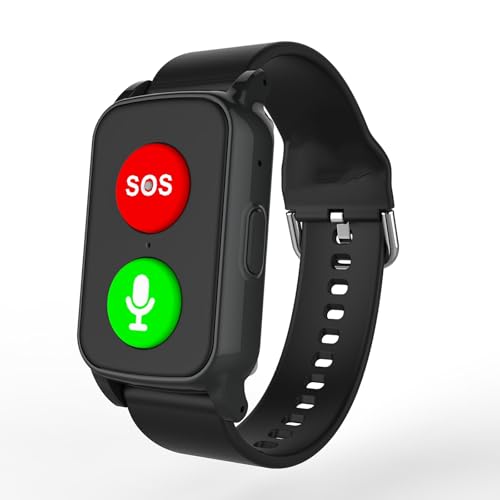

Factors to Consider
1) Make marathon pace alerts actually usable (not just a gimmick)
Also consider whether the watch gives reliable pace through turns and hills. If your GPS smooths too aggressively, your “too fast/too slow” alerts come late, and you’ll react after the damage is done. Look for good GPS performance and customization over flashy dashboards.
2) Battery life for long-run reality (and not just marketing claims)
Marathon-pace work often means 2–4+ hour runs, especially on weekends. A watch that dies mid-session kills the whole value proposition—pace alerts don’t help if you’re in battery-saver mode. When comparing models, check battery performance in the GPS mode you’ll actually use (full GPS, continuous heart rate, notifications, etc.).
For training, I treat battery as “tested range,” not theoretical endurance. If the spec only looks good under “smartwatch mode” you won’t want, skip it and pay for the watch that survives your long-run plan.
3) Heart-rate + pace pairing for smarter pacing control
Marathon pacing isn’t only math—fatigue changes how your body responds. If your watch supports reliable heart-rate capture (optical or paired chest strap) alongside pace, you can set alerts that help you avoid the classic “start too hot” trap. For research-backed grounding: a 2022 systematic review found that watch-derived HR measures can be valid but aren’t perfect across devices and conditions—so don’t blindly trust HR without sanity checks.
Translation: use pace alerts as your primary control, and optionally use HR alerts as a secondary guardrail. Pairing your watch with a chest strap when conditions are tough (sweat, arm swing, cold) is often the difference between “data I trust” and “data I ignore.”
4) Comfort and durability for marathon training volume (watch + sensors)
Long runs turn small annoyances into big problems: itchy bands, loose sensor fit, and buttons you can’t feel when you’re tired. Choose a watch with a secure strap that stays put during sweat and when you fatigue—especially if you’re wearing it over multiple workout cycles. Durability matters too: if the watch face or strap fails early, your “value” collapses fast.
Gear-nerd tip: if you plan to run in heat, make sure the sensor area is easy to keep clean and isn’t a magnet for grime. Clean sensors = better signal = fewer phantom alerts.
5) Ecosystem + setup speed (because training time is precious)
The best pace-alert setup in the world is useless if it takes 20 minutes every time you change targets. Look for watches with fast configuration and easy saving of profiles (pace targets, custom alerts, metric layouts). If you use training plans, sync and profile imports can save time when you’re juggling workouts, long runs, and recovery.
Value for money is about fewer setup headaches and fewer “why is it wrong?” moments. Spend your budget on a watch that runs the basics well—pace, alerts, battery, HR reliability—then let the app do the rest.
Frequently Asked Questions
How do I set marathon pace alerts on my GPS watch?
Go to the watch’s workout or training settings and choose a pace-based alert option. Set your threshold to “alert when above” and/or “alert when below” your target marathon pace, then save it as a repeatable workout profile. If there’s a “custom pace alert” screen, use it—those are designed to show you exactly what you need mid-run.
What’s the best pace alert strategy for a long run?
For most marathon builds, start with a narrow target window early and widen it late. I like “hold steady” alerts for the first 60–75 minutes, then allow a small buffer later so you don’t panic when your legs go. The goal isn’t robotic perfection—it’s staying controlled enough to finish strong.
Are GPS pace alerts accurate enough for marathon training?
Generally, GPS pace is good enough to guide pacing, but it can lag on sharp turns, dense tree cover, or unstable signal. In practice, pace alerts are most useful when you pair them with consistent effort and watch how the data behaves on your typical routes. If your watch is consistently late or noisy, adjust the route or smooth settings, or consider using your watch less like an oracle and more like a feedback tool.
Should I trust heart-rate alerts from an optical wrist watch?
Optical HR can be valid, but accuracy varies by device and conditions—at least that’s what a 2022 systematic review suggests across populations and measurement contexts. That means wrist HR can help, but it shouldn’t be the only truth behind pacing decisions. If you want reliable HR for alerts, pairing a chest strap to your GPS watch is the move.
How much battery life do I need for marathon pace workouts?
Plan for your longest run, plus a safety margin. Many “GPS-ready” watches struggle if you run in the highest-accuracy mode with all sensors on—so check battery life in the exact mode you’ll use. If you routinely do 3+ hour sessions, don’t buy a watch that only looks good under reduced GPS settings.
What if my watch pace alerts are triggering too often?
That’s usually one of three things: GPS signal instability, too-tight alert thresholds, or overly sensitive smoothing. Widen your alert window slightly, try to run on routes with fewer GPS-obscuring obstacles, and confirm your pace calibration settings if your watch supports it. If the alerts still spam you, the watch might not match your training environment.
Can I use my GPS watch pace alerts on a treadmill?
Treadmills often mess with GPS because you’re not moving in the real world relative to satellites. Some watches switch to foot pod or treadmill-calibrated distance/pace—use those if available. For marathon pacing on a treadmill, it’s usually better to rely on calibrated distance/pace or sensor-assisted tracking rather than pure GPS.
Conclusion
If you want marathon pace alerts that actually help, buy a GPS watch that offers real pace-based alert customization, dependable battery in your chosen GPS mode, and enough comfort to wear for long-run volume. Get the setup right once, save it as a profile, and treat alerts as feedback—not a judge.
My recommendation: prioritize pace alerts + battery + setup speed first, then upgrade to more reliable HR capture (often a strap) if you want better pacing control when fatigue starts talking.


